
You’ve sent an email, a social post and a partner link to the same page. Analytics shows visits, but you cannot tell which placement brought them. UTM parameters add labels to the destination URL so an analytics tool can group visits by campaign. They help answer where a visit came from; they do not prove that a campaign caused a sale. This guide gives you a practical way to name, build and check those links.
What UTM parameters do
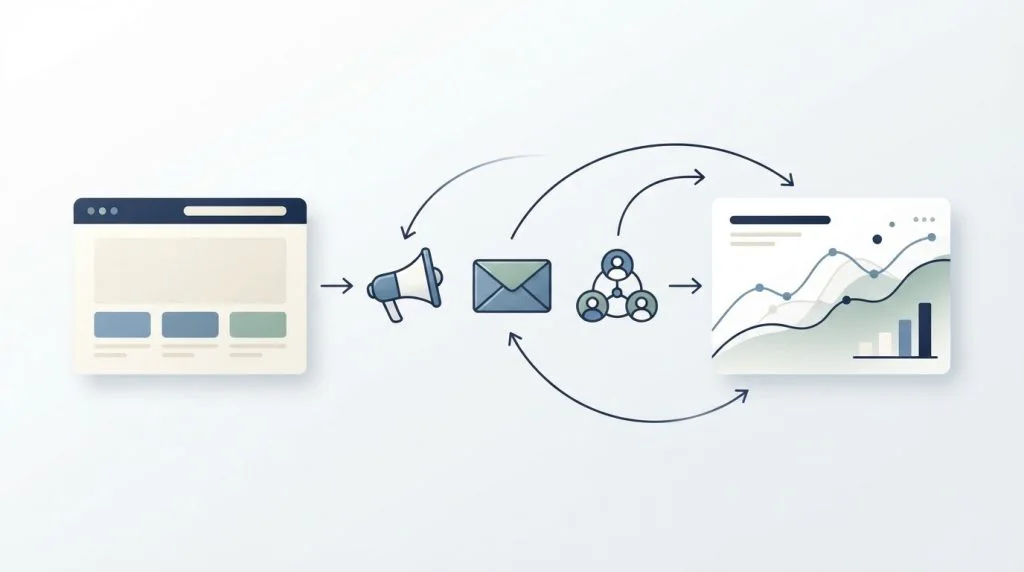
UTM parameters are values added after a question mark in a URL. When a visitor follows a tagged link, the values can be sent to Google Analytics and appear in traffic-acquisition reporting. They help answer questions such as which newsletter issue or social placement referred a visit. They do not identify a person, repair a broken measurement setup, or explain why a visitor chose to buy. A click is not automatically a customer, and a reported session is not the same as a unique person.
A tagged link still opens the ordinary destination page. The extra information is visible in the address bar and may be copied, logged by systems, or shared. Treat campaign names as public labels. Never put a password, email address, customer name, order number or other personal information in them.
Choose only the parameters you can maintain
Google documents several campaign fields. The three most familiar are source, medium and campaign. Google recommends completing relevant fields consistently; current Analytics guidance also highlights campaign ID and source platform. Each parameter answers a different question:
- utm_source identifies the referring source, such as instagram, partner_site or newsletter. Choose a stable name for the actual platform or publisher.
- utm_medium describes the channel or buying method, such as organic_social, email or cpc. Do not use several spellings for the same channel.
- utm_campaign groups links that belong to one named effort, such as spring_open_day_2026. Keep the name useful after the campaign ends.
- utm_id can hold a stable campaign identifier when your organisation uses IDs across its tools. Do not invent an ID just to fill a box.
- utm_source_platform describes the platform responsible for directing traffic, where it is meaningful for your reporting setup.
- utm_content distinguishes placements or creative versions, such as footer_link, feed_video or button_a. It should describe a placement, not contain a person’s details.
- utm_term can identify a paid search term or other useful term grouping. Avoid putting a raw query or personal information into it.
You do not need every optional field on every link. Start with a small standard that answers a real reporting question. Google Analytics campaign values are case-sensitive: instagram and Instagram can be reported separately. A lower-case convention is a practical way to prevent accidental duplicates.
Make a naming plan before building links
Write down the allowed values before several people start tagging links. A short spreadsheet is enough. Include the field, approved examples, what it means, who maintains it and the date it was last reviewed. Decide whether a campaign name uses underscores or hyphens, whether the year is included, and how you distinguish organic from paid activity. Document synonyms that should not be used: for example, do not alternate among insta, Instagram and instagram.
Name the actual source and the channel separately. For an organic Instagram post, source might be instagram and medium might be organic_social. For an email newsletter, source could be a newsletter name and medium email. For a paid campaign, use the value your analytics and advertising setup expects. If your team already has a documented standard, use that instead of copying an example from another website.
A practical rule is to ask, “What decision will this field help me make?” If two labels would always be analysed together, they may not need to be separate values. If you cannot explain what a label means to a colleague in one sentence, simplify it.
Worked example: one link, three placements
Suppose a small shop is promoting a spring workshop through an Instagram carousel, a newsletter and a partner blog. Keep the destination page the same, but give each placement a distinct source or content value. These examples use fictional campaign names and a reserved example domain:
https://www.example.com/workshops/spring?utm_source=instagram&utm_medium=organic_social&utm_campaign=spring_workshops_2026&utm_content=carouselFor the newsletter, change the source and medium to the agreed newsletter name and email. For the partner blog, use that partner’s agreed source name and a referral medium. Do not create a different spelling for each link unless the difference is intentional. If the goal is to compare creative formats, put the format in utm_content and keep the campaign name the same.
The example is not a performance claim. It shows how labels are structured; it does not imply that one placement will get more visits or sales. For campaign measurement basics, see Measuring Digital Marketing: Goals and Metrics and Your First Digital Marketing Campaign.
Build and test a tagged URL
- Choose the landing page. Use the final page visitors should reach, with the correct HTTPS version and a page that loads without needing a special login.
- Choose the channel labels. Use the written naming plan, not a fresh improvisation. Confirm that source, medium and campaign answer distinct questions.
- Add the parameters. Use Google’s Campaign URL Builder or construct the query string carefully. A question mark begins the first parameter; ampersands separate later parameters.
- Inspect the full link. Check spelling, capitalisation, destination path and every parameter. A mistyped parameter can still lead to the page while producing a broken report.
- Click the link yourself. Confirm that the final landing page opens, any redirect preserves the campaign values as needed, and the page does not fail on a mobile screen.
- Record it. Save the final URL in a campaign sheet with owner, placement, launch date and purpose. Copy the recorded link into the post or email rather than rebuilding it later.
The builder creates a URL; it does not validate your campaign strategy or guarantee that Analytics is configured correctly. If your site redirects between domains, uses a URL shortener, or has a consent banner, test the real journey in the measurement setup you actually use.
Google Ads and auto-tagging need special care
For linked Google Ads and Analytics accounts, auto-tagging is usually the preferred way to pass advertising click information. Google explains that if a manually tagged parameter is present in some advertising scenarios, Analytics can derive cross-channel traffic-source dimensions from the UTM values instead of the ad click identifiers. That can change how the campaign appears in reports. Read the current manual-tagging and auto-tagging guidance before adding UTMs to Google Ads destination URLs. Do not mix tracking schemes just because a URL builder is available.
Avoid the common reporting mistakes
- Inconsistent capitalisation: standardise lower-case values and check links before launch.
- Changing the destination: make sure all tagged versions lead to the intended canonical landing page, not an old campaign or a redirect loop.
- Using too many labels: tags should answer a reporting question, not become a catalogue of every creative detail.
- Tagging internal navigation: campaign labels belong on genuine campaign entry links. Adding fresh source labels to ordinary links inside your own site can confuse traffic attribution.
- Using personal information: never include a name, email, phone number, account ID or anything that can identify a visitor.
- Assuming a tag is consent: a UTM value is not a privacy notice or permission to track. Follow the site’s applicable privacy and analytics consent requirements.
Read the results with the right expectations
In GA4, look at the traffic acquisition report and select the source, medium or campaign dimensions that match the question you planned to answer. Give the visit time to arrive in reports and confirm that the campaign label appears as expected. Compare like with like: an email send and a social post may have different audiences, timing and goals, so raw session totals alone are rarely a fair verdict.
For a useful comparison, decide the outcome before launch: a visit to a product page, a form submission, a purchase or another event that matters to the business. Check that the event is measured correctly and explain how you are counting it. With small samples, a difference of a few actions may be noise. Report what the data shows, the period covered and what it cannot tell you. Do not claim that UTMs alone prove incrementality or causation.
A small campaign-link checklist
- Does the destination page work and match the message?
- Are source, medium and campaign named according to one shared convention?
- Are values lower-case and free of personal information?
- Will any auto-tagging or redirects alter the tracking?
- Has someone clicked the final URL on a phone and desktop?
- Is the link saved in a shared register so the team reuses the same campaign name?
This small process is often more useful than adding every possible parameter. Consistent labels make reports easier to interpret and make mistakes easier to spot.
Keep a campaign register your team can follow
The URL builder is the easy part. The harder part is making sure everyone uses the same names next week. Keep one shared register with the destination page, campaign name, source, medium, placement label, owner and date created. A spreadsheet is enough. Give one person responsibility for approving new campaign names, or two teams can end up reporting the same activity under different labels.
For example, a spring guide promotion might use utm_source=instagram, utm_medium=organic_social and utm_campaign=spring_guide_2026. If you test two creative versions, use utm_content=carousel and utm_content=story. The source tells you where the visit came from, the medium describes the channel type, the campaign groups the activity, and content distinguishes placements or versions. The labels are descriptive examples; choose terms that match your own reporting conventions.
Set simple rules before the first link goes out:
- Use lowercase throughout; analytics tools may treat
Emailandemailas different values. - Use one separator consistently, such as an underscore, and avoid spaces or punctuation that makes labels hard to read.
- Keep campaign names stable across channels when they belong to the same campaign.
- Record the actual final URL, not only the untagged destination, so someone can reproduce the check.
- Use a placement label only when comparing placements will answer a useful question.
Before launch, open the link from the register and confirm that it reaches the intended page, keeps the parameters after any redirects and does not show an error. If the destination already has a query string, the builder should append the campaign parameters correctly; avoid manually adding a second question mark. A link shortener can hide a typo, so test the final shortened link too.
Compare like with like in your reports
When the campaign ends, compare the tagged visits with a clear question in mind. If you want to know which email placement attracted more visits, compare the same landing page and time window across placements. If you want to assess business results, look beyond sessions to the conversion event that matters and check whether it is recorded consistently.
Campaign reports show attributed traffic according to Analytics rules; they do not capture every person or prove what would have happened without the campaign. Consent choices, browser settings, redirects, ad blockers and missing tags can all affect what appears. Treat the numbers as a useful reporting view, record the limits, and avoid claiming a campaign caused a result from a simple traffic comparison alone.
Frequently asked questions
Do UTM parameters improve rankings?
No. They label referral or campaign traffic for analytics. They do not make a page rank higher. Keep campaign URLs out of places where you need a clean canonical page, and ensure your site handles URL variations sensibly.
Which UTM fields should I add?
Start with the source, medium and campaign name, then add another field when it answers a useful reporting question. The exact set depends on your Analytics setup and campaign. Keep the values consistent and do not fill a field with made-up or meaningless labels.
Can I put a customer name in utm_content?
No. Do not place personal information in UTM values. Google Analytics explicitly warns against sending personally identifiable information in campaign parameters. Use a non-identifying placement label instead.
How soon should a campaign appear in Analytics?
Reporting timing depends on the Analytics processing and report being viewed. Check that the link was clicked and that the chosen dimensions are correct; do not treat a missing immediate number as proof that the campaign failed.
Sources and further reading
- Google Analytics: URL builders and custom campaign URLs
- Google Analytics: traffic-source dimensions, manual tagging and auto-tagging
- Google Analytics: best practices to avoid sending personally identifiable information

Subook Ali writes beginner-friendly guides for Virelvo on digital marketing, SEO, content and online business. For questions or corrections about an article, contact support@virelvo.com.
Discussion