
A factual sentence needs more than a link beside it: the linked source must actually support the wording. A practical fact-checking routine helps bloggers separate evidence from opinion, avoid accidental copying and make later corrections easier. This guide shows how to check claims one by one, keep useful source notes and revisit them after editing.
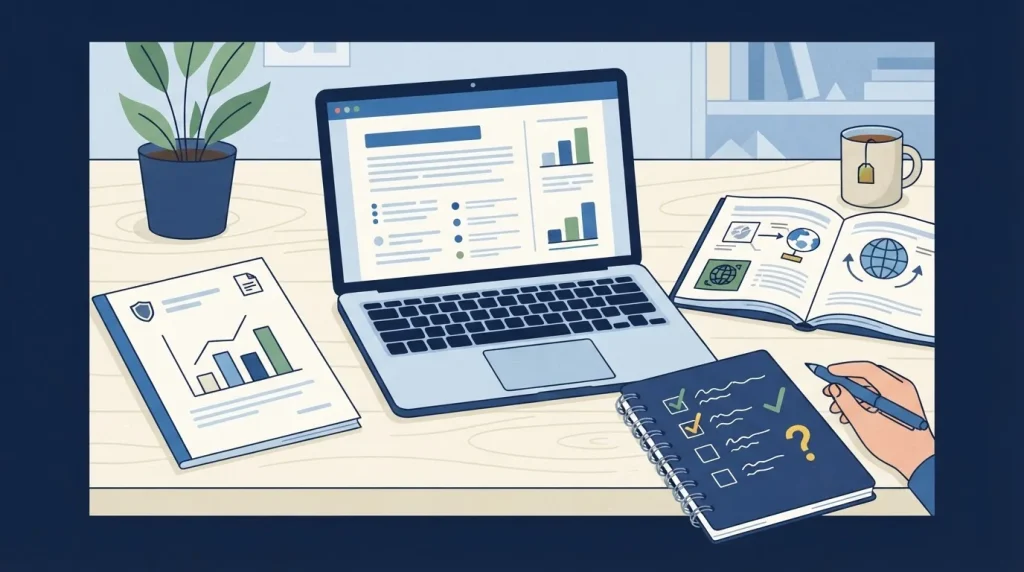
Decide which statements need checking
Not every sentence needs a citation. A personal preference or clearly labelled recommendation is different from a claim about a law, date, statistic, technical setting, health effect, price or what a named organisation says. Those factual claims should be checked against a source that directly supports them. The more a reader could be harmed or misled by an error, the more care the claim deserves.
Start with the claims that carry the argument. Underline numbers, superlatives, guarantees, named policies, current product features and sentences that begin with “research shows” or “experts agree”. Ask: who is included, where does this apply, what period does it describe, and what exactly was measured? A number without its context can be accurate and still misleading.
Google’s people-first content guidance asks publishers to provide original value, clear sourcing and a satisfying answer for readers. That is a useful editorial standard, not a scoring formula or a promise of ranking.
Choose sources that match the claim
Prefer the original source when you can find it: a government rule for an official requirement, a product’s own current documentation for a feature, a research paper or dataset for a study result, or a professional body for its own standard. A source is not reliable for every topic merely because it is famous. Check that the page is relevant to the exact sentence and the right country, product version, audience and time period.
Secondary sources can still help explain context or point you towards original evidence. When a news article reports a statistic, look for the original dataset or report and check the definition. If you cannot reach it, say that the point comes from the secondary source and avoid presenting it as independently verified. Keep a note if a document is behind a login or paywall so another editor does not mistake it for an accessible source.
- Official rules and services: link to the agency that publishes the current requirement, and check the page’s jurisdiction and update date.
- Technical instructions: prefer the product’s own documentation and identify the version or account type if it matters.
- Statistics and research: check who collected the data, the sample or scope, the period and any limitations.
- Expert interpretation: identify the author’s relevant role and whether the page is advice, an opinion or a formal standard.
- Commercial claims: look for the underlying evidence rather than repeating a sales page’s headline as an independent fact.
Use a repeatable claim-by-claim workflow
- Make a claim list. Copy each important factual statement into a working document. Keep one claim per line so you can see what has and has not been verified.
- Find the nearest primary source. Search for the original rule, documentation, data or research. Do not stop at a search result snippet; open the source page and read the relevant section.
- Check the wording against the evidence. Confirm that the source supports the same definition, time, population and level of certainty. If it says “may”, do not rewrite it as “will”.
- Cross-check high-impact claims. Use a second independent authoritative source when the claim is disputed, time-sensitive or could materially affect a reader’s decision.
- Rewrite in your own structure. Explain why the information matters to your reader. A citation supports your explanation; it should not be a substitute for one.
- Place the link near the claim. Link the relevant phrase or sentence so a reader can verify it without searching through a long bibliography.
- Keep the record. Save the source title, publisher, direct URL, date checked, supported claim and any limitations in the source log.
Check what the source actually says
Read the paragraph around the evidence, not just the title. A study may measure a narrow group or a short period. A software help article may cover only one interface or account type. A government page may apply only in the UK, or only to a particular service. Look for definitions, exclusions, caveats and changes elsewhere on the same page.
If sources disagree, do not silently choose the one that supports your headline. Check whether they are discussing different populations, years, measurements or legal jurisdictions. State the difference in plain language, give the date and scope, and avoid a definitive answer when the evidence does not support one.
For time-sensitive topics, record the date you checked the source and put the date or version in the article when it helps the reader. A page that was accurate last year can become incomplete after a policy or product changes. Do not change the article’s publication date just to make it look new; update it only after you have made a meaningful edit and explain the update according to your site’s editorial practice.
Label facts, advice and examples honestly
Readers should be able to tell what is a documented fact, what is your recommendation and what is only an example. Use phrases such as “For example” or “In a hypothetical scenario” where needed. Do not invent customer stories, survey results, interviews, revenue lifts, product tests or professional credentials. If you have not tested a tool, describe its published documentation rather than implying first-hand experience.
An AI assistant can help you organise questions or improve clarity, but a generated answer is not evidence. Verify the source itself, confirm that its URL works and inspect the passage that supports your claim. Do not cite a paper, report or quote just because a model supplied a plausible title.
Do not confuse attribution with permission
Citing a photograph, chart, article or report does not automatically give you permission to reproduce it. Use material you created, material licensed for your intended use or material for which you have permission. Copyright exceptions are specific and depend on the facts; the GOV.UK copyright guidance notes that some uses may be permitted in particular circumstances and that substantiality is assessed case by case. If the intended use is unclear, seek qualified advice rather than assuming a link or credit is enough.
For a chart, consider explaining the data in your own words and linking to the original rather than copying the graphic. For a short quotation, preserve the author’s meaning and context, use only what is needed, and check the applicable permission or exception. Do not copy another website’s structure and merely replace a few words.
A simple source log
A spreadsheet can contain these columns: claim; source title; publisher; direct URL; date checked; exact section or table; what the source supports; limitation; editor; next review date. This does not need to become public. It gives you a fast way to find the evidence again when a reader asks a question or a source changes.
A source log entry might say: “GA4 campaign values are case-sensitive; Google Analytics Help; checked 20 November 2026; URL builders page, manual setup section; supports lower-case naming advice; does not prove any campaign outcome.” The example describes an editorial record, not a claim about Virelvo’s Analytics results.
Make corrections easy after publication
If a reader points out an error, locate the source and check it again rather than defending the old wording. Correct the statement, check related sections and update the source log. If the correction materially changes a decision, add a short note explaining what changed and when. Keep a channel for readers to report problems; Virelvo’s Contact page is one route.
When a linked source moves, find the official replacement before changing the URL. If no reliable replacement exists, remove the unsupported claim or clearly qualify it. Do not leave a broken reference because it was once correct. For related writing processes, see Blog Topic Research: Finding Useful Questions, SEO Content Writing: Research, Structure and Editing and Blog Post Optimisation: A Practical Review Process.
A pre-publish fact-check list
- Have I identified the factual claims that matter to the reader?
- Does each source directly support the sentence linked to it?
- Have I checked dates, jurisdiction, version, definitions and limitations?
- Have I labelled recommendations and hypothetical examples honestly?
- Have I avoided copying protected text, images or charts without permission?
- Can another editor find the supporting evidence in the source log?
- Is there a way for readers to report a correction?
Work through one claim before you write around it
Suppose a draft says, “This change always fixes the problem.” Before looking for a link to support it, split the sentence into what it actually asserts: which change, which problem, and under what conditions? The word “always” may be stronger than the evidence. A source showing one recommended step does not prove that it works in every situation.
Rewrite the sentence to match the evidence. If an official help page says to check a setting when a particular error appears, say that the setting is one thing to check for that error. Do not turn guidance into a guarantee. If reliable sources disagree, explain the difference in scope or date, or narrow the claim to the point they share. If you cannot support a claim after reasonable checking, remove it or identify it as an opinion rather than presenting it as established fact.
This is especially useful for dates, eligibility rules, product features, prices, and advice that can vary by country or account. Put the relevant condition in the sentence itself so the reader does not have to infer it from a footnote.
Make the source log practical
For each important claim, record the draft wording, the source title and URL, the date you checked it, the relevant section, and any limitation the source states. Note whether it is a primary source, such as official documentation, or a secondary explanation. This gives an editor enough context to recheck the statement later without repeating the whole research process.
When a page is long, link to the exact section where possible and save the heading or paragraph name in your notes. Do not cite a search-result snippet when the linked page is available. If the source is a PDF or a changing web page, record the publication or update date when it is shown. A link that still opens may have changed since you first read it.
Do a final source check after editing
Fact-checking is not finished when the first draft is approved. Editors often change a sentence to make it shorter or more confident, and that can quietly make it less accurate. Re-read each cited claim against the source after substantive edits. Check that the link loads, the title describes the destination and the source still supports the exact wording.
Also review examples, labels and screenshots. Mark a hypothetical scenario as an example, avoid presenting a made-up business result as a case study, and get permission before using someone else’s image or copying protected wording. If something cannot be verified, be transparent about the limit instead of leaving a confident but unsupported sentence in place.
Frequently asked questions
How many sources should one article cite?
There is no useful universal number. Cite enough relevant sources to support the important factual claims and help readers follow up. A narrow practical guide may need only a few strong references; a complex or time-sensitive article may need more.
Should every paragraph have a citation?
No. Put citations where they help a reader verify a factual statement. Repeatedly attaching the same general link to unrelated advice can make sourcing less clear.
Can I cite a source I have not opened?
Avoid presenting it as checked. Search snippets and summaries can omit conditions or use outdated wording. Open the source and read the relevant part, or state plainly that you could not verify it.
Does adding a source link make copied text acceptable?
No. A citation acknowledges where information came from, but it does not automatically grant permission to reuse protected wording, images or data visualisations. Check the licence or applicable legal exception.
Sources and further reading
- Google Search Central: Creating helpful, reliable, people-first content
- GOV.UK: Using somebody else’s intellectual property—copyright
- Business.gov.uk: Using copyright to protect creative work

Subook Ali writes beginner-friendly guides for Virelvo on digital marketing, SEO, content and online business. For questions or corrections about an article, contact support@virelvo.com.
Discussion